
Due to operating system software updates you might be experiencing a problem with the connection of your iPad on your usual setup and sessions.
Thus, please revisit the Audio MIDI Setup

Go to the Audio Devices window (⌘+1)
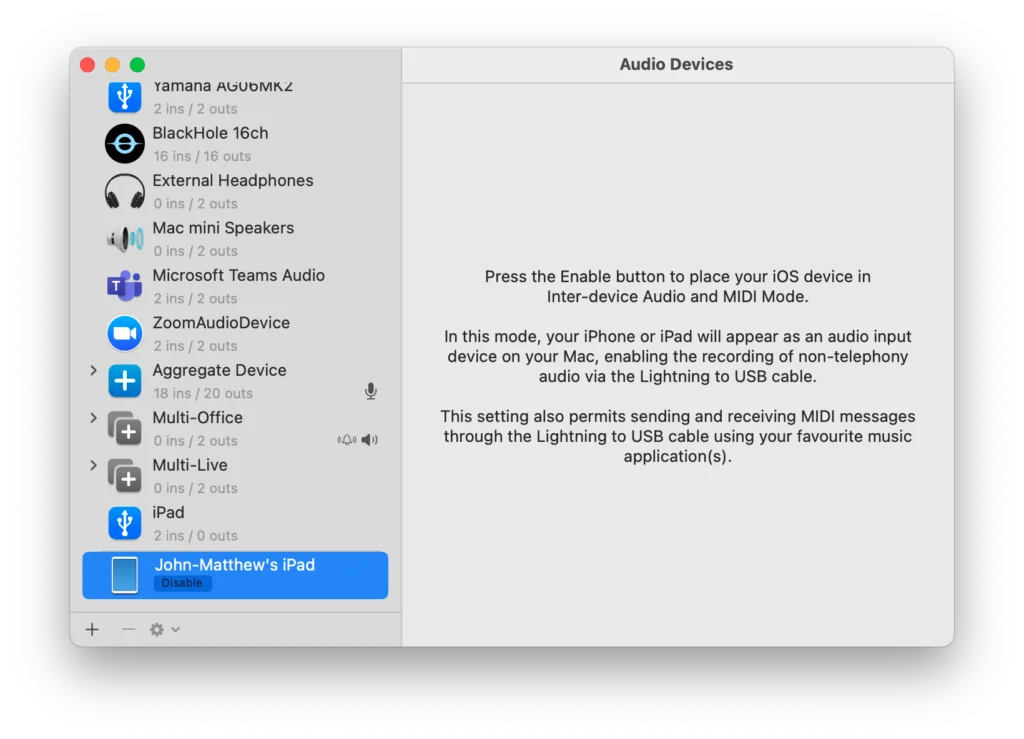
And make sure you press the Enable button next to your iPad.
This will instantly reconnect your iPad to all your previously network sessions.