
ONE Control works as a faithful replica of the glorious Mackie Control Surface…with some wonderful additions.
You get easy, hands on integration with your DAW. Control multiple levels with your fingers. Instead of being curled like a shrimp over your keyboard, enjoy the freedom of your iPad. Free up some screen space. And quit trying to memorise all those shortcuts!
If you’re like many of our users, you’ll see an increase in your workflow. You’ll free up your brain space for actual music production! You might even enjoy even find yourself enjoying some editing tasks you used to hate.
How easy is it?
For starters, connect your iPad and the DAW will recognise it as a regular Mackie Controller. Just connect via MIDI Network Session on your Mac or PC. This gives you immediate functionality over all the faders, knobs, and buttons you see on your iPad.
The controls come labeled and pre-programmed. It integrates immediately with the DAWs listed below, and it can work with others as well.
Fear not. You’ve got this.
Supported DAWs
















Your choice of interface
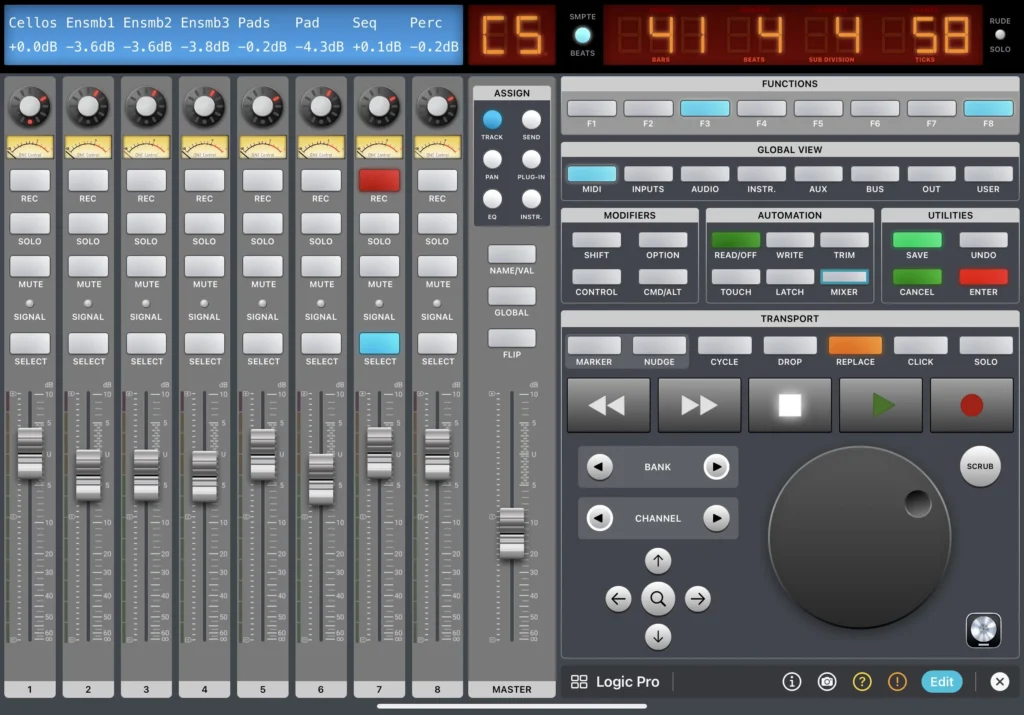
Default
Carefully composed theme where contrasting colours make the components easily visible.
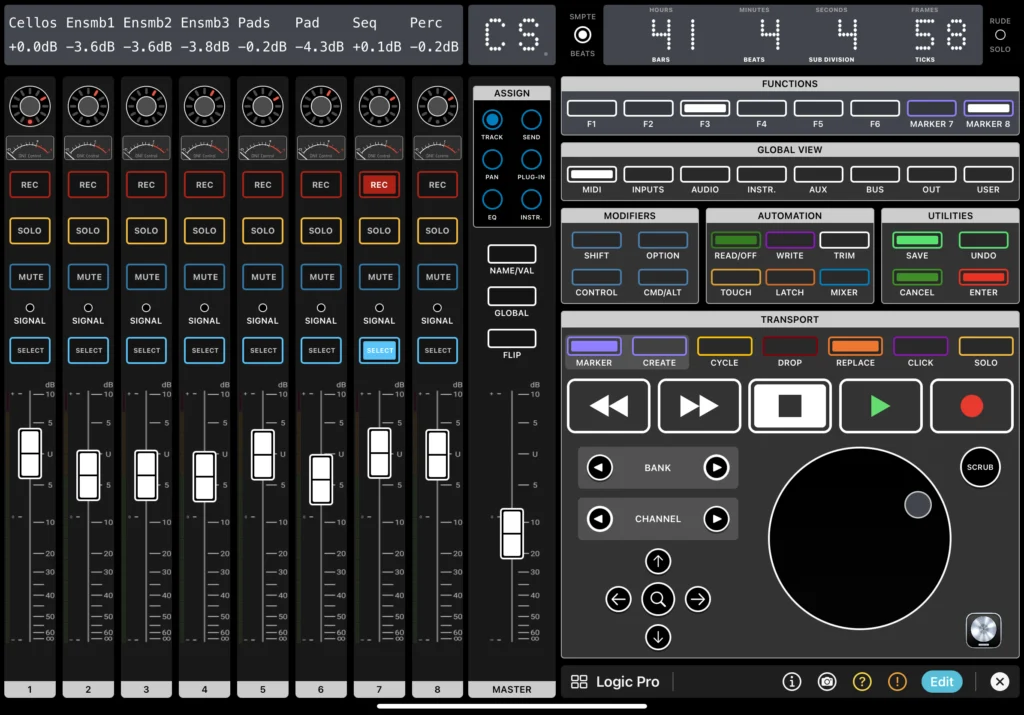
Minimal
If what you are looking for is a simple, no-nonsense interface, this is the theme for you.
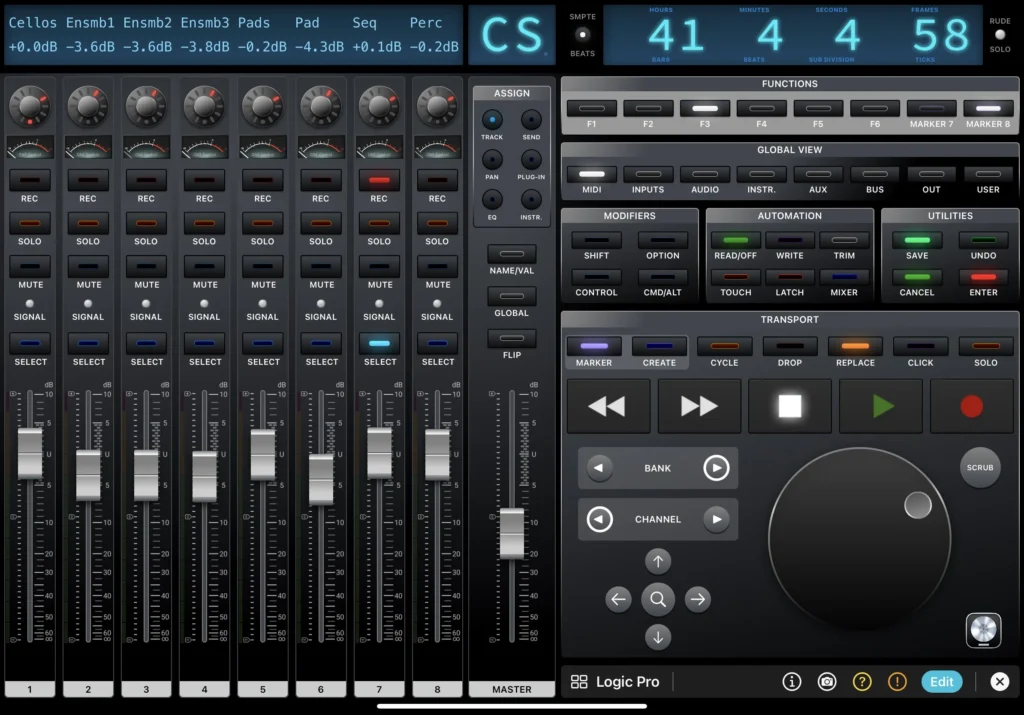
Modern
The future is under your fingers. Dig those dark sophisticated LED buttons and contemporary displays.
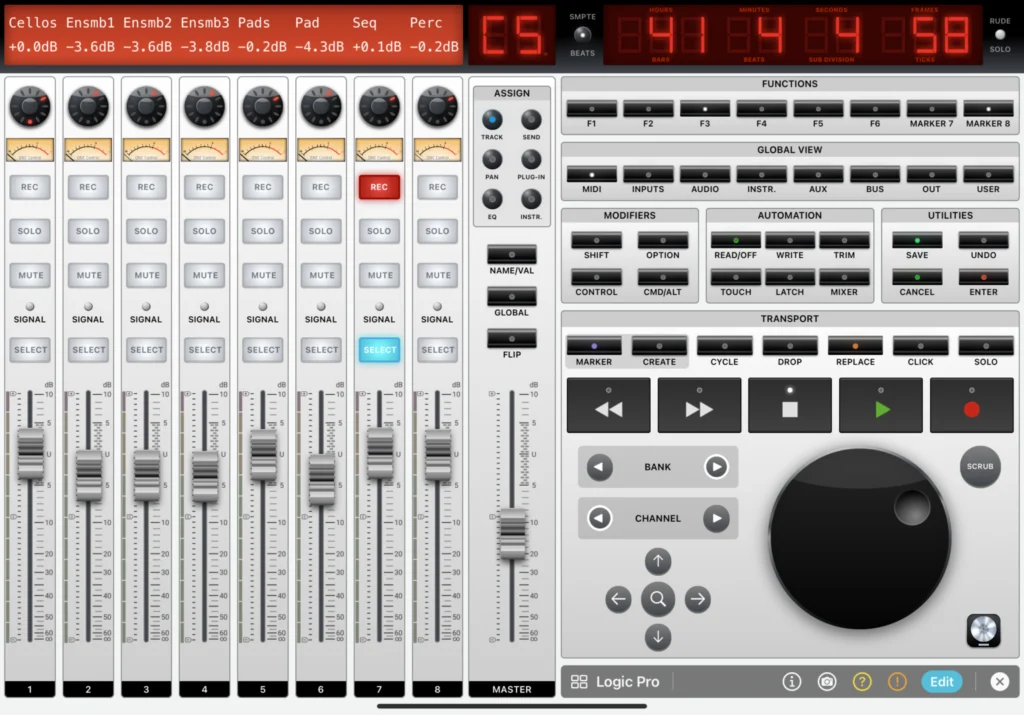
Retrò
If nostalgia is calling, here’s a theme that brings back the original visuals of a Mackie controller.
Control all the major functionalities of your DAW
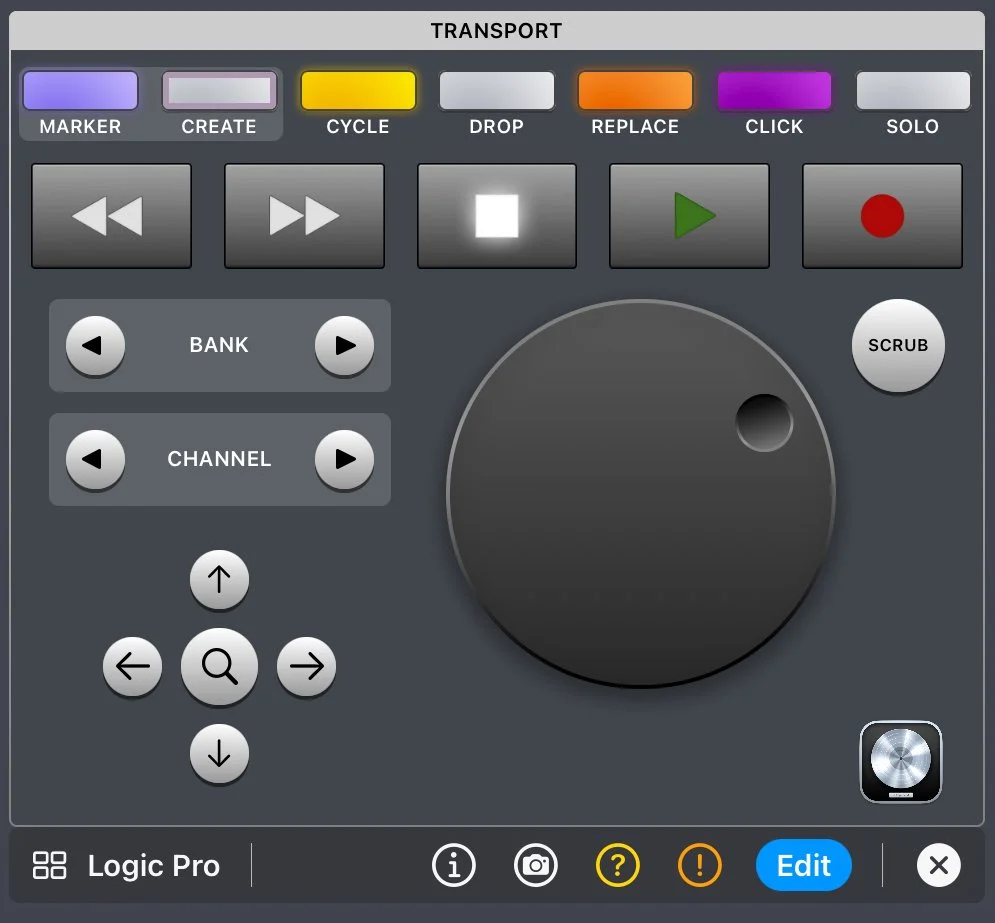
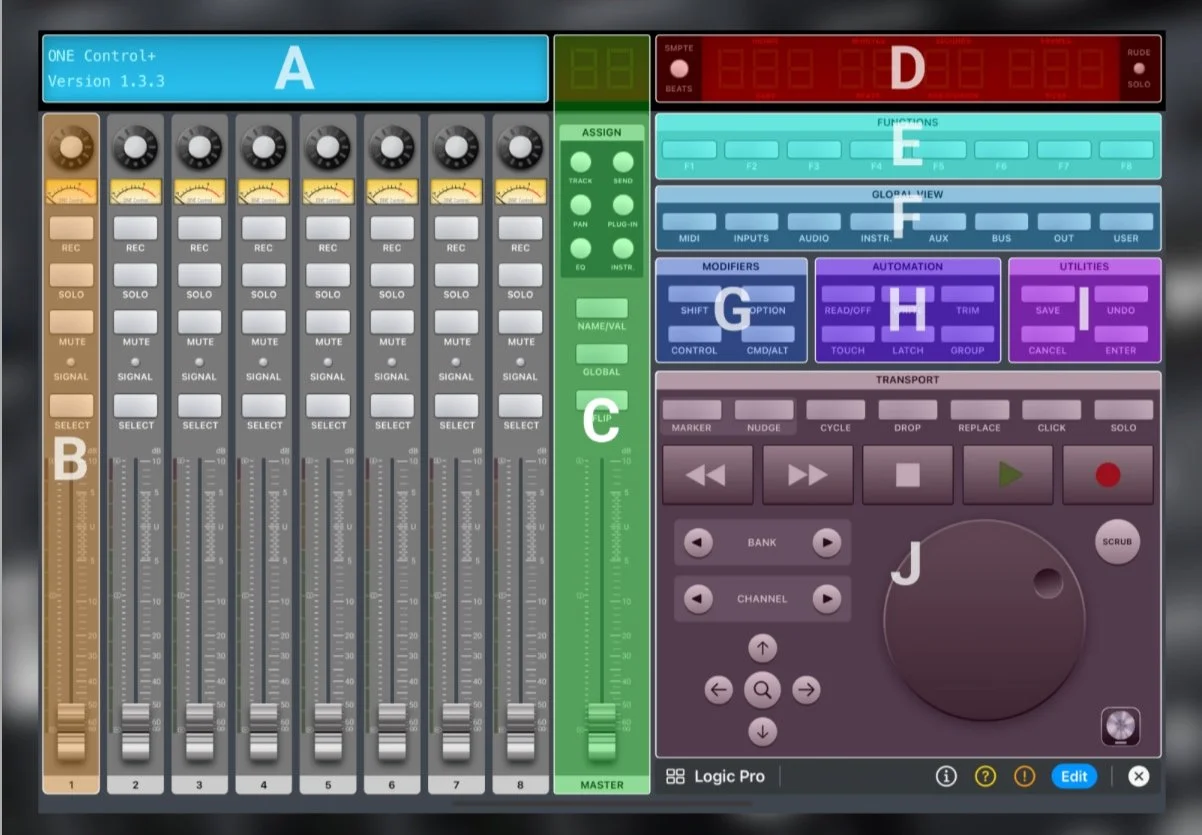
Transport commands
- Play, Stop, Record, Forward, Rewind
- Jog Wheel for fast transport in your track
- Scrub, for fine transport
- Time-code display in SMTP or Beat modes
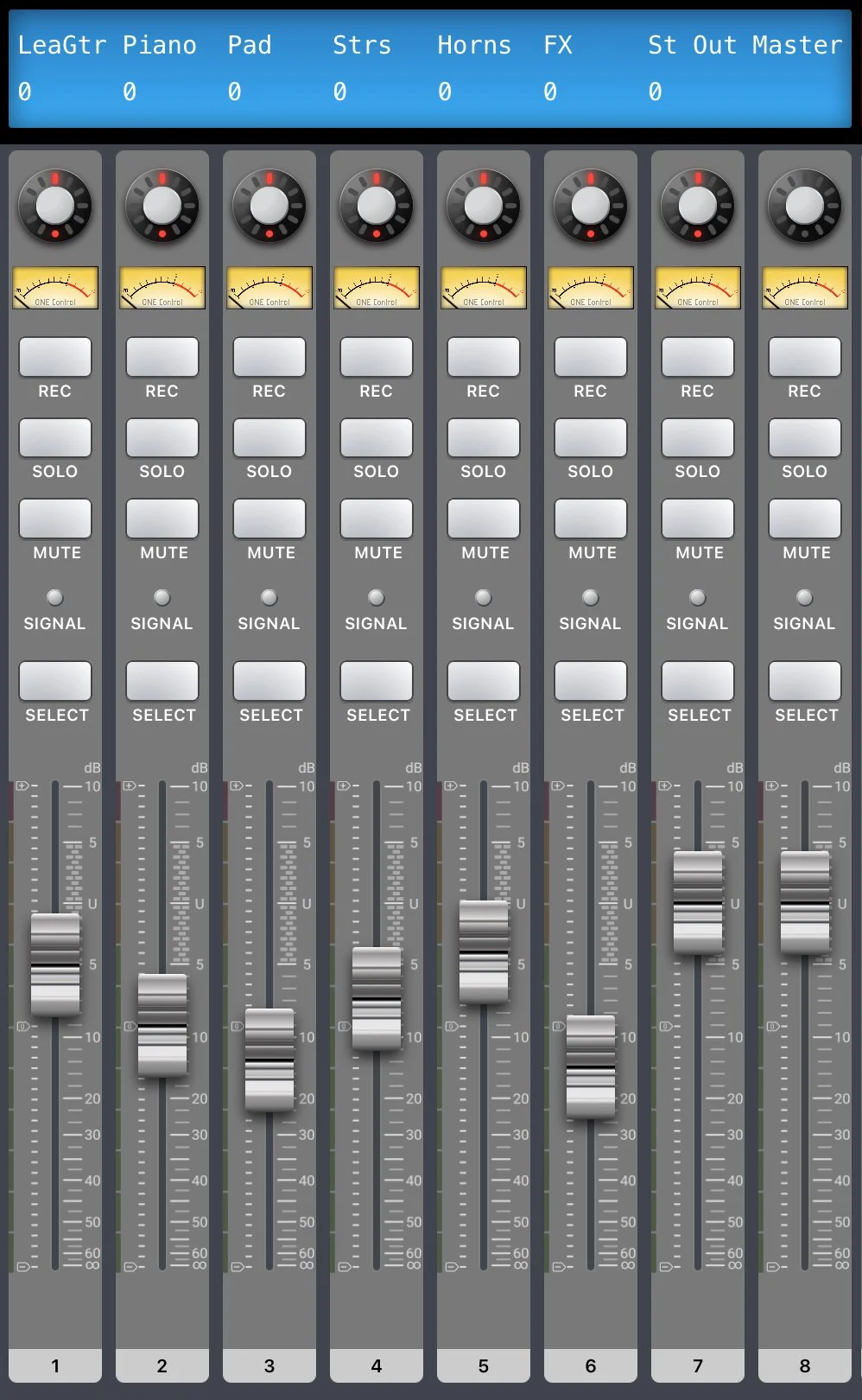
Channel strips
- High resolution faders with two way updates (just like the real machine)
- Channel detail display with all the info you need
- Solo, Rec arm, Mute and Select buttons
- High resolution V-pots for Pan and plugin parameters control
- Master channel strip
- V-Meters, Level strips and signal led for on-device metering
- Scroll fast through channels and banks

Function and Utility buttons
- Function buttons defined by your DAW that are also customisable
- Utility commands, such as Save, Undo, Redo, etc.
- Automation control: Read, Latch, Write, etc.
- Group control: create, setup, change
- Marker control: create, delete, navigate
Automatic connection
- If you use a MIDI Network Session on your Mac or PC, ONE Control is able to connect to it automatically. No need to connect manually every time.
Dynamic buttons
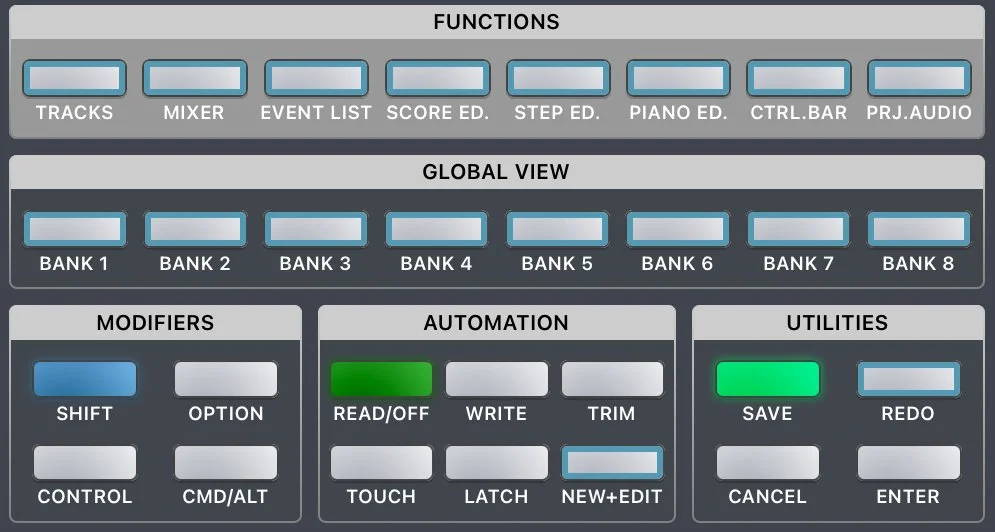
- The text and color change, depending on the current context. For example, in Logic, holding the Shift button down, the Undo becomes Redo. With ONE Control, you’ll see the change in function, so you don’t need to remember complicated combinations of modifiers.
Functions and Utilities buttons customization
- If your DAW doesn’t use certain buttons, or you simply want them to do a different thing, you can change the label, colour, and MIDI events to create your custom super-controller!